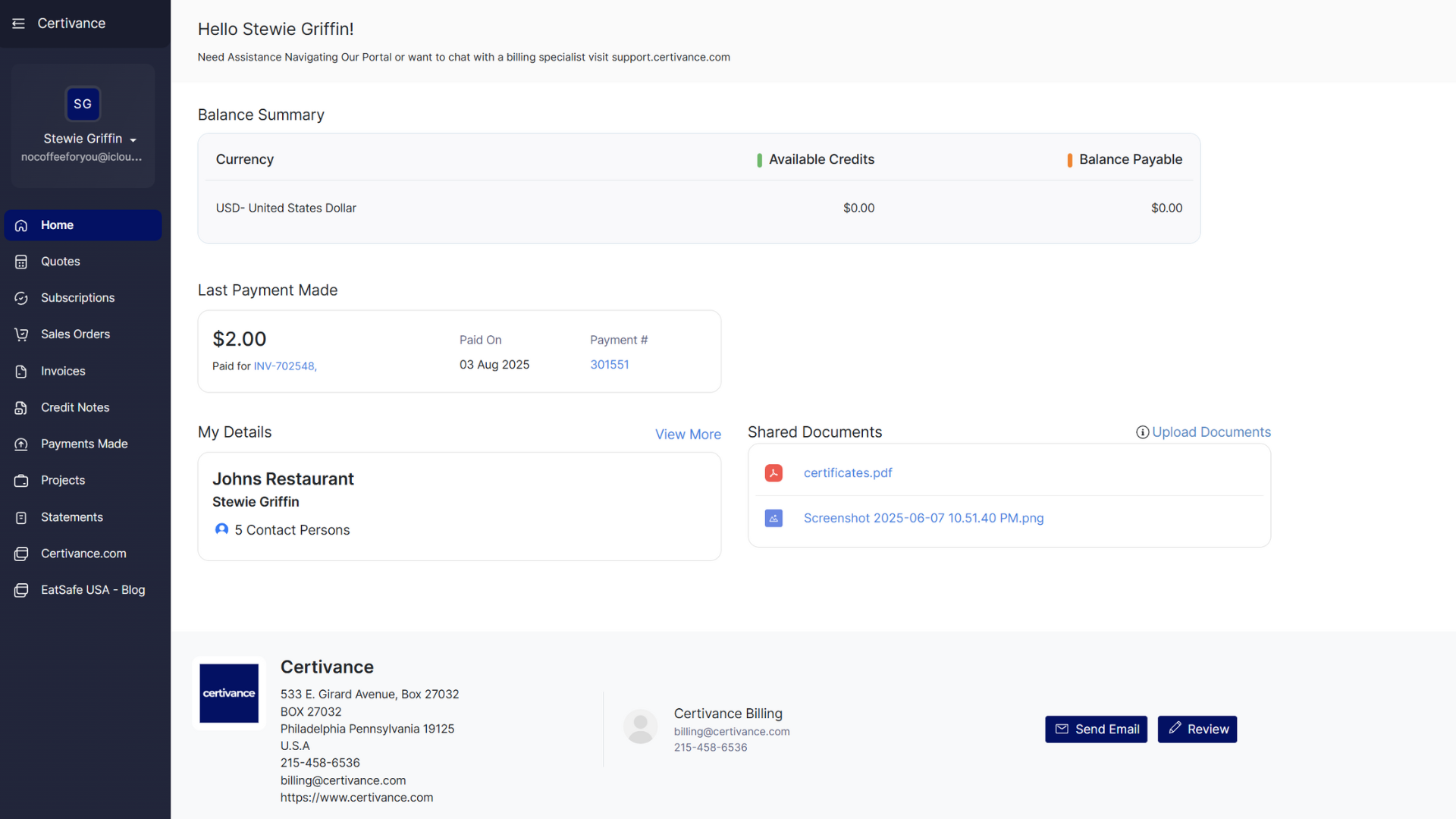
When you log in to the Certivance Billing Portal, the first page you will see is the Dashboard. This page provides a summary of your billing activity and account-related information.
A snapshot of your current balance, including any outstanding charges or available credits.
Displays the most recent payment applied to your account.
Your contact information on file, including name, email address, phone number, and company (if applicable).
If updates are needed, contact support using the chat window.
Access documents provided by Certivance, which may include invoices, receipts, certificates, study materials, or project-related files depending on your account activity.
Use the navigation menu to access billing and account records, including:
Invoices – View or download invoices
Subscriptions / Enrollments – Review active billing items or recurring services
Payments Made – View receipts and payment history
Projects – View consulting engagements (if applicable)
Statements – Download account summaries
Quotes & Sales Orders – View proposals and orders
Credit Notes – Review credits applied to your account