Start the reset process
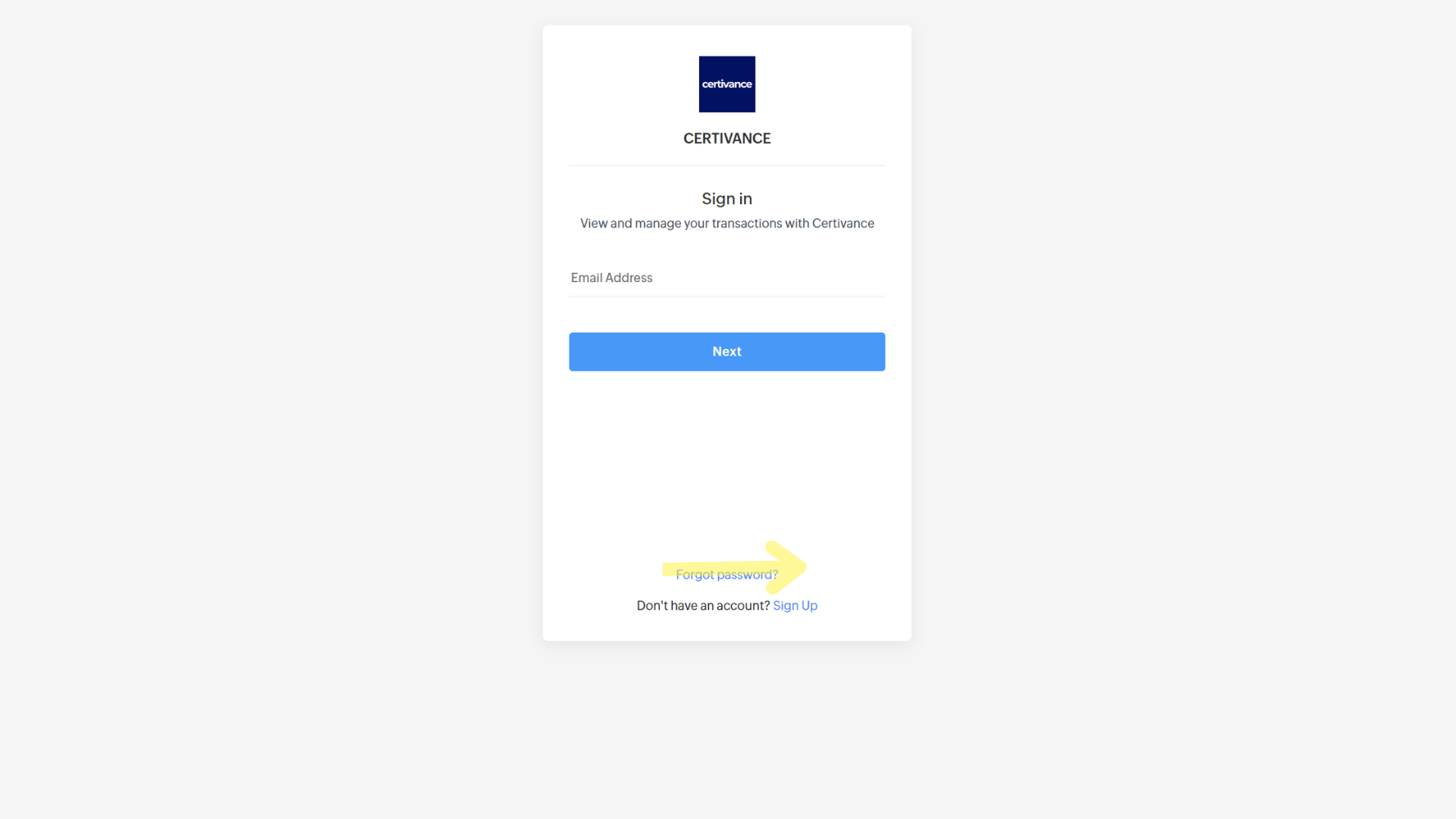
On the login page, click Forgot Password.
Enter your email
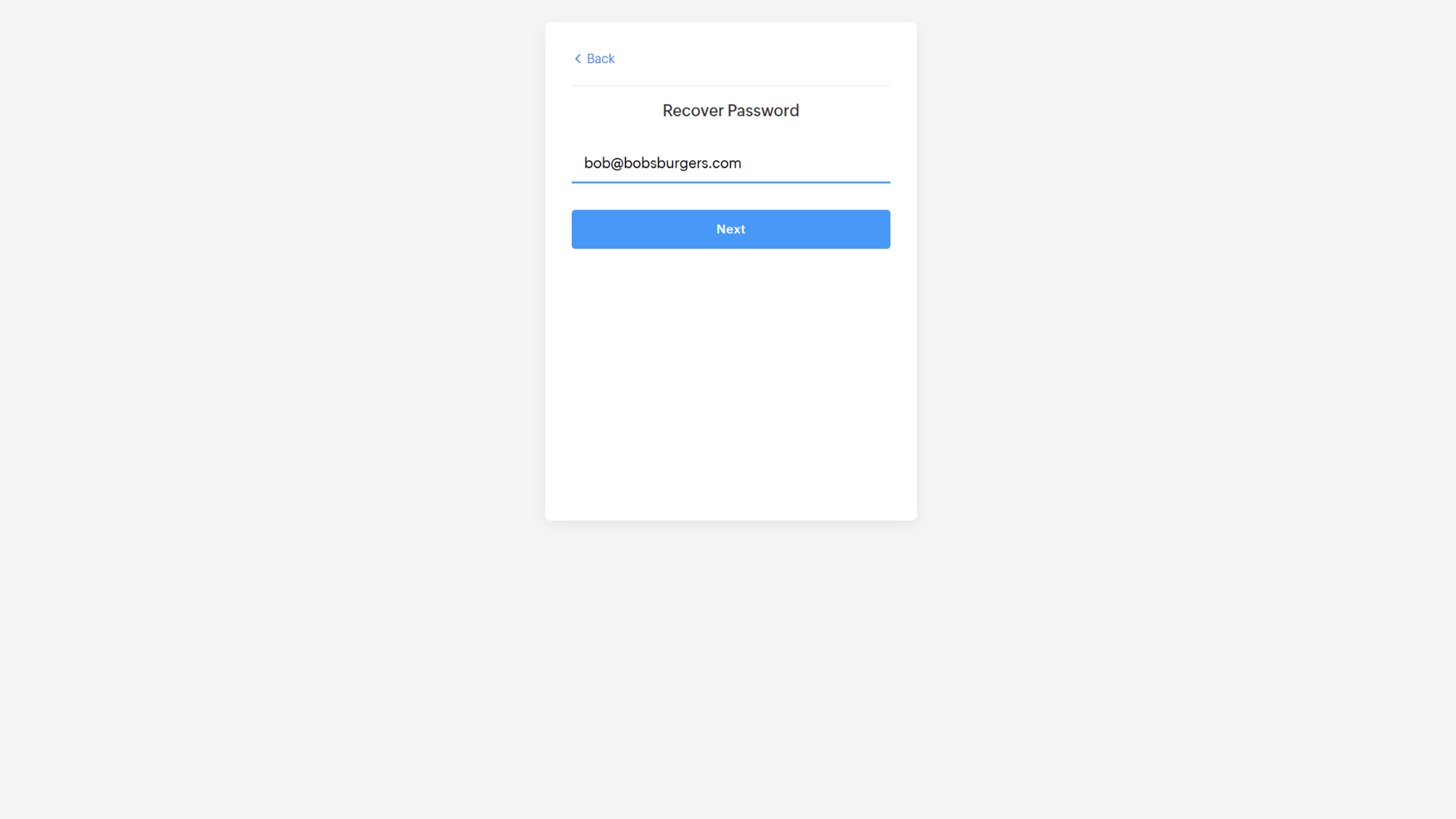
On the Recover Password screen, enter the email associated with your account.
Click Next.
Verify your email
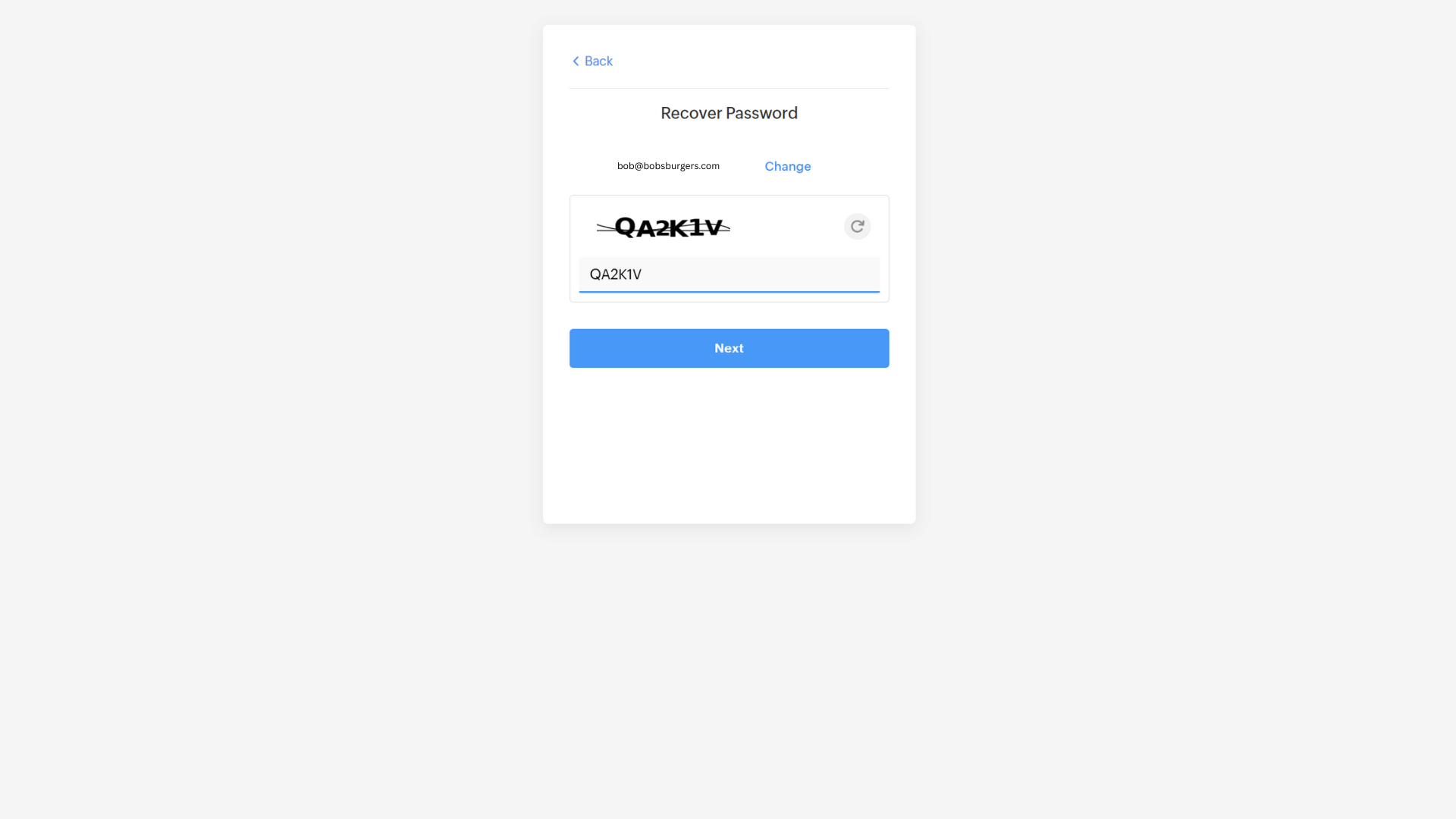
Confirm the email shown on screen.
Enter the captcha text and click Next.
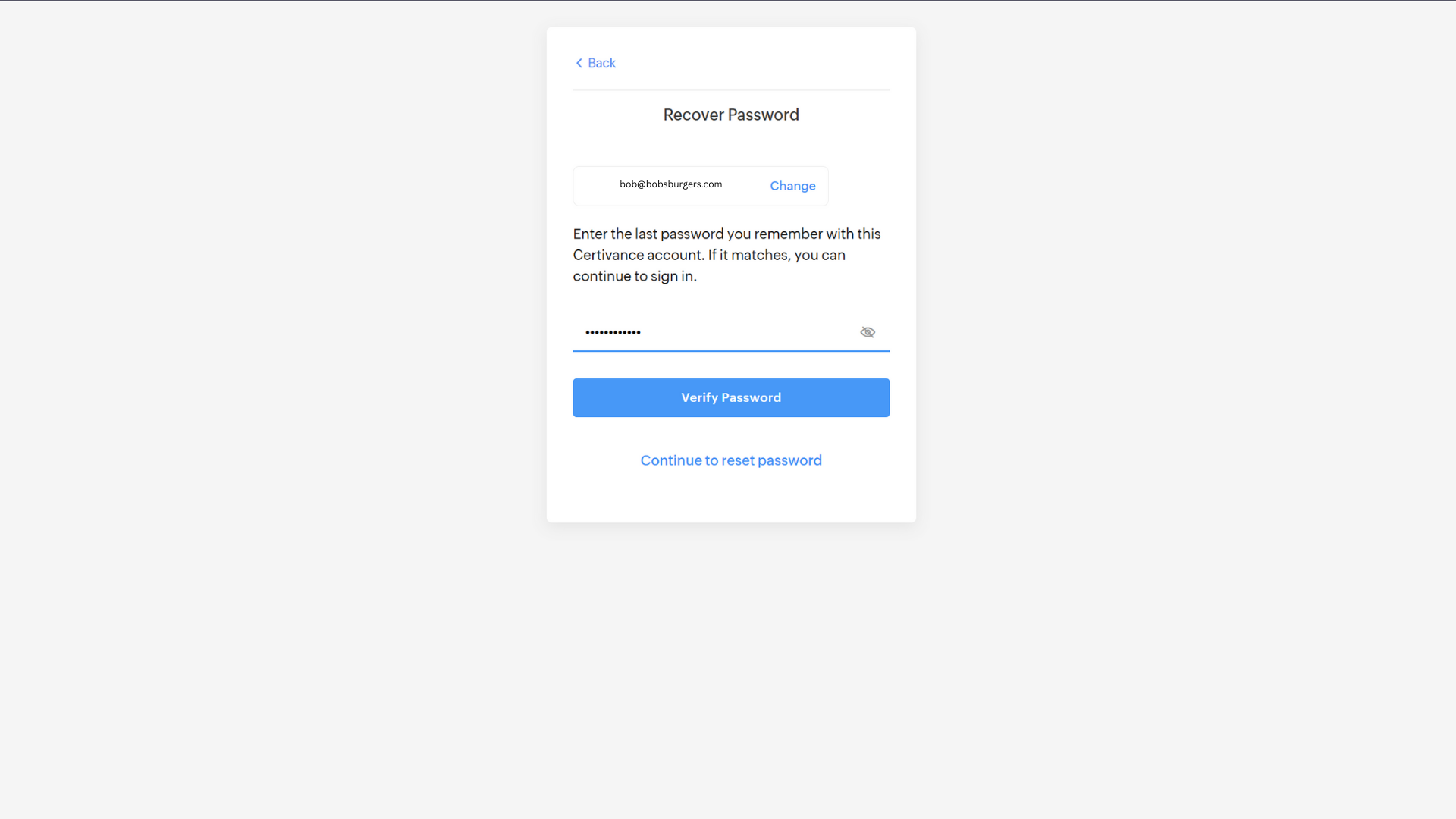
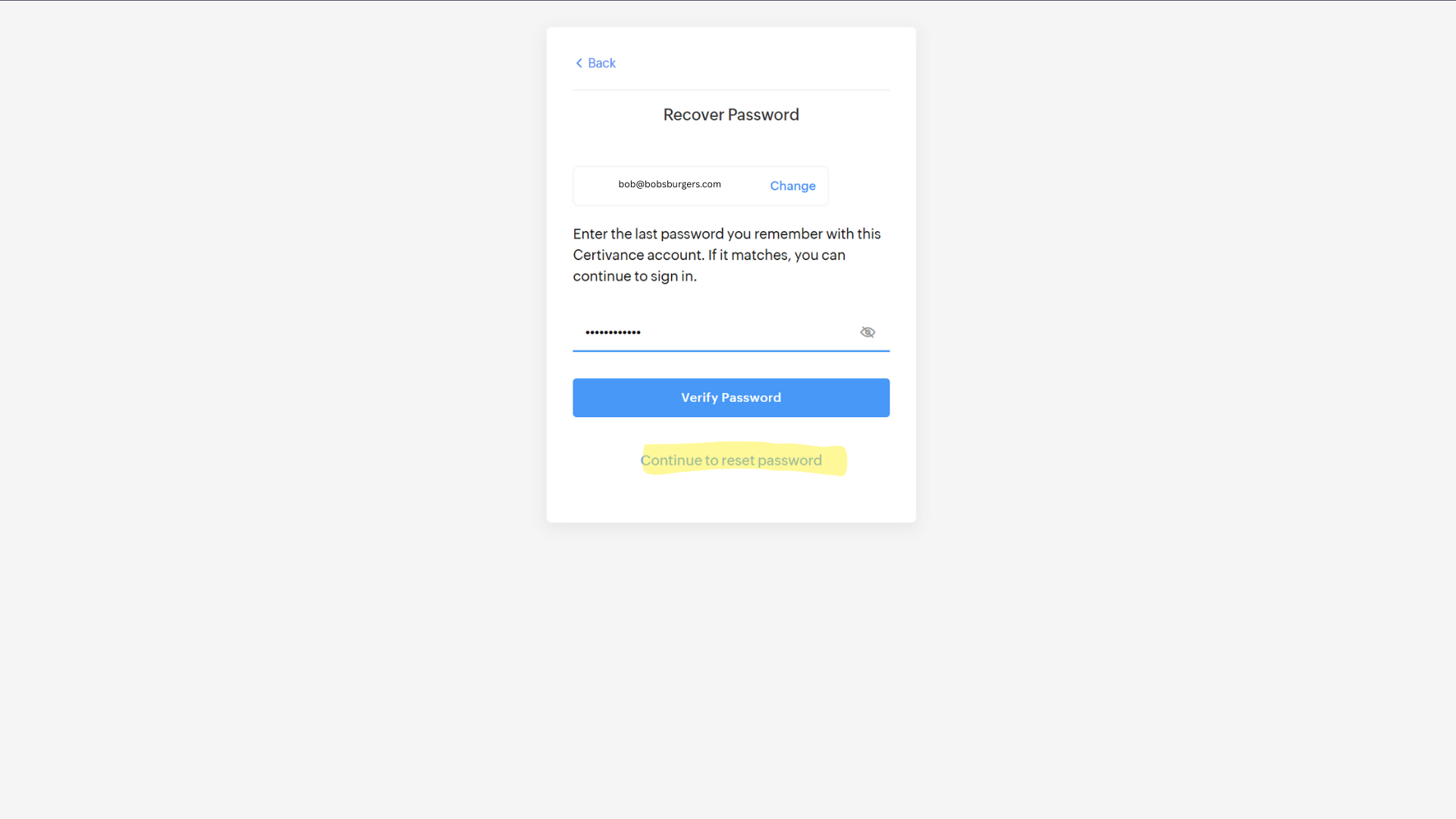
Enter your last known password (optional)
If you remember your last password, enter it and click Verify Password.
If it matches, you’ll be signed in immediately.
If you don’t remember it, click Continue to Reset Password.
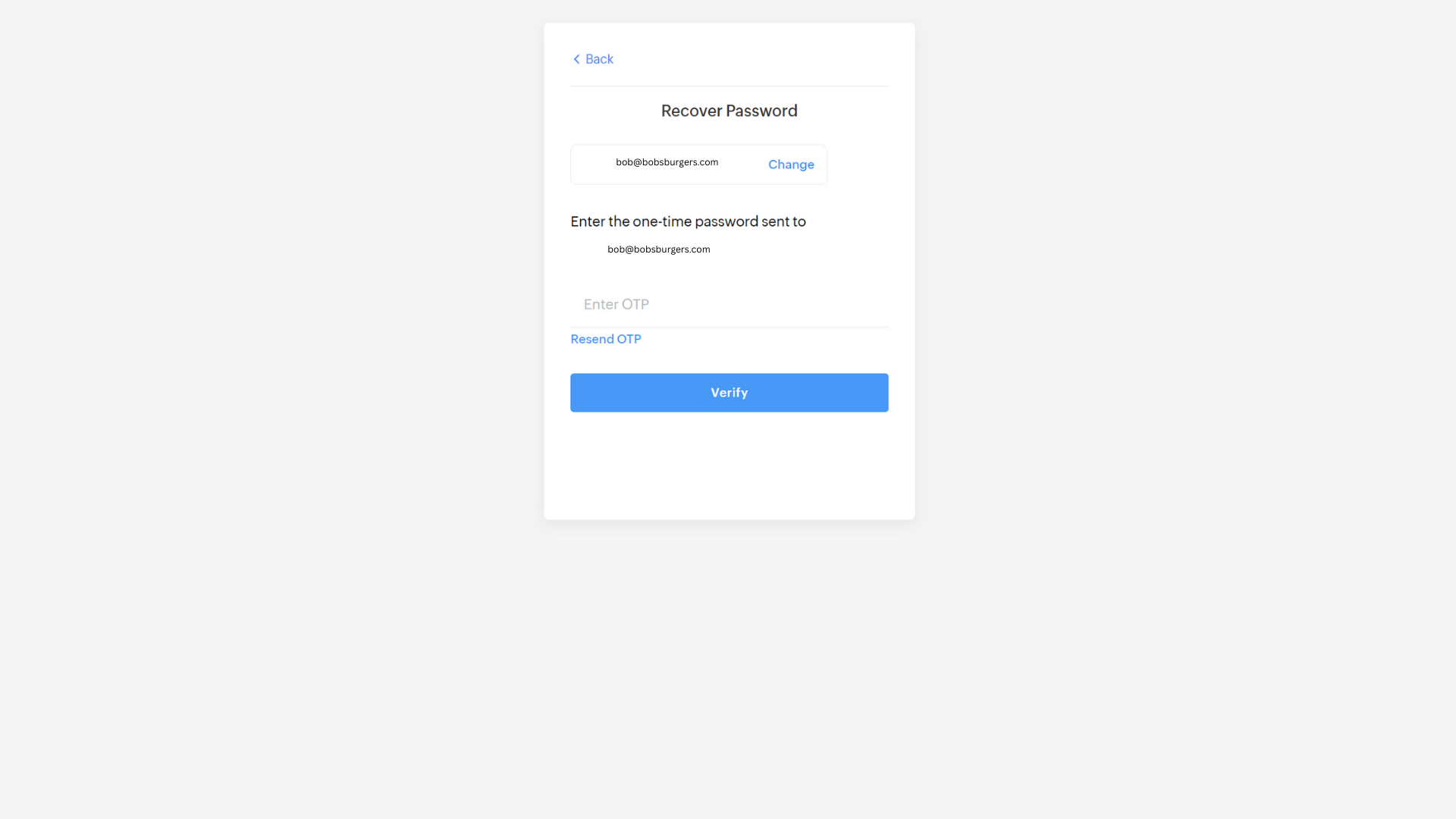
Get your OTP (One-Time Password)
You’ll receive an OTP code by email.
Enter this code on the Recover Password screen and click Verify.
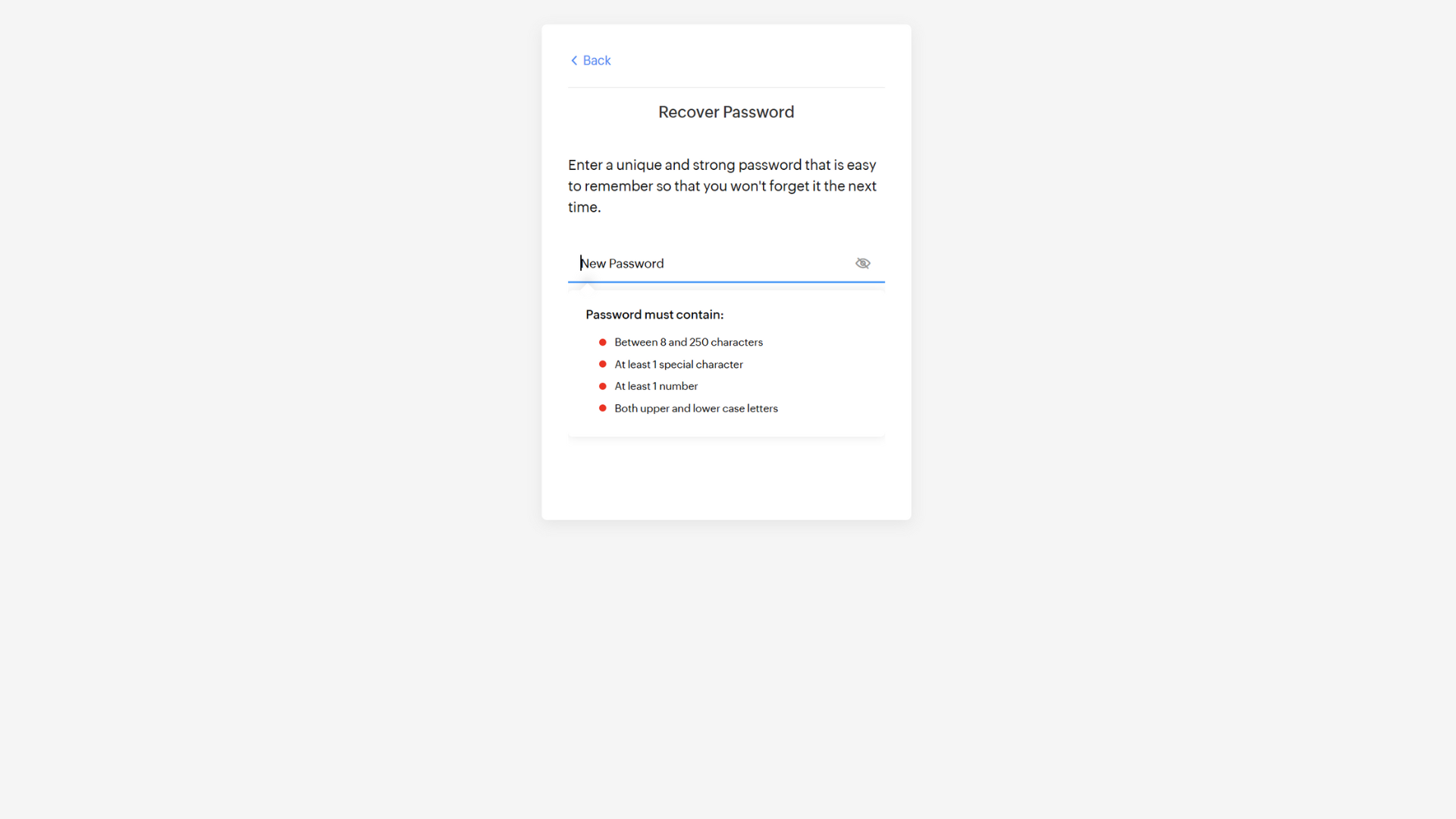
Create a new password
Enter your new password, then confirm it by re-entering.
Click Change Password.
Sign back in
Click Continue Sign-In to log into the portal with your new password.
Check your spam/junk folder if the OTP email doesn’t arrive within a few minutes.
Make sure your new password is strong (mix of uppercase, lowercase, numbers, and symbols).