A ProctorU account is required to schedule and take an online proctored exam. This article covers account creation only.
To begin, visit the ProctorU registration page: https://go.proctoru.com/registrations
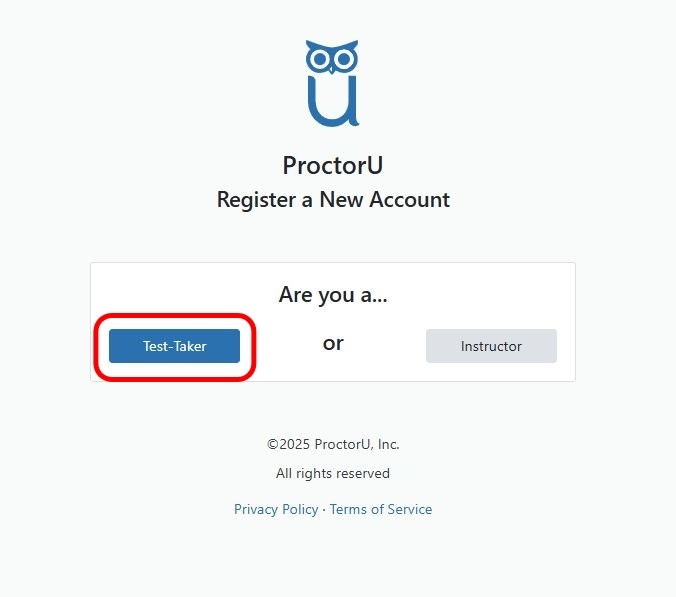
When prompted to select an account type, choose Test Taker.
Use the same email address you used when registering with Certivance and creating your ServSafe account.
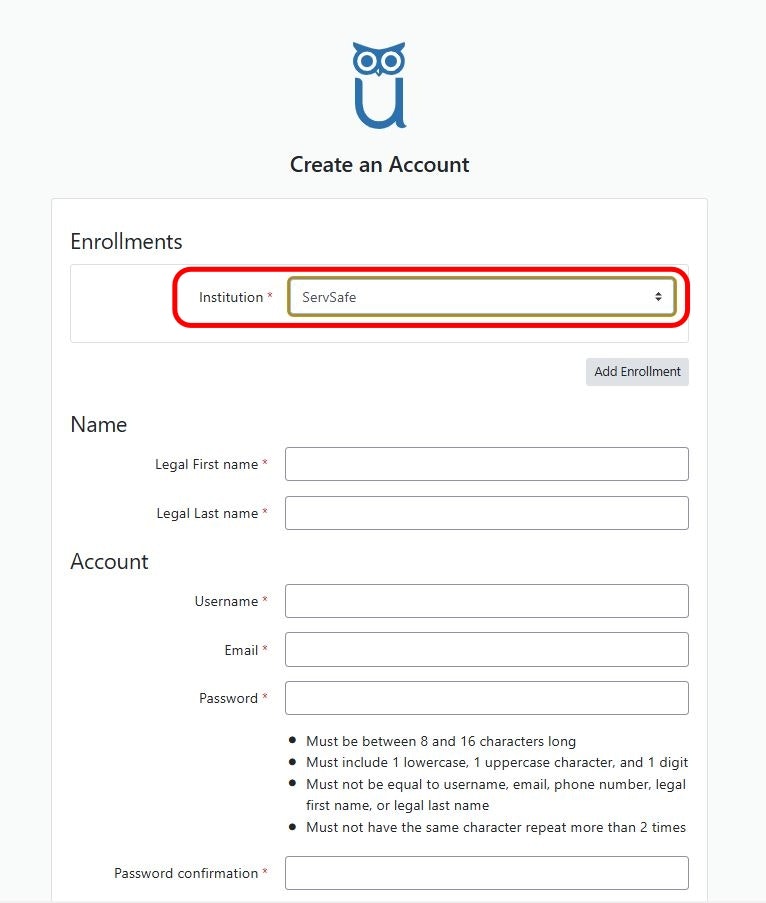
Complete the required fields on the enrollment form.
When asked to select an institution, choose ServSafe for the ServSafe Food Protection Manager exam.
Ensure all information is entered accurately before continuing.
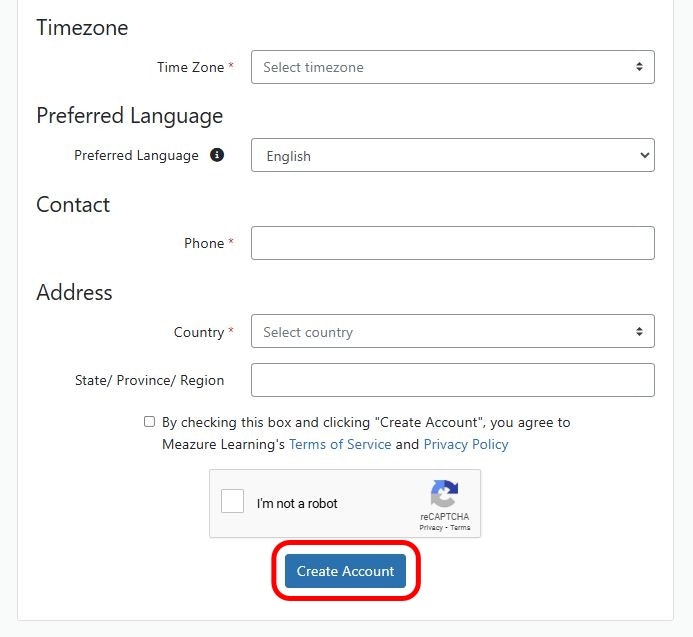
After completing the enrollment form, select Create Account to finish setting up your ProctorU account.
Follow any email confirmation steps provided by ProctorU to activate your account.
ProctorU accounts are managed by ProctorU, not Certivance
Using the same email across Certivance, ServSafe, and ProctorU helps prevent access and scheduling issues
Account creation must be completed before scheduling an online proctored exam